Please follow the step below to upload your withholding tax 23 slips:
- Login to your dashboard.
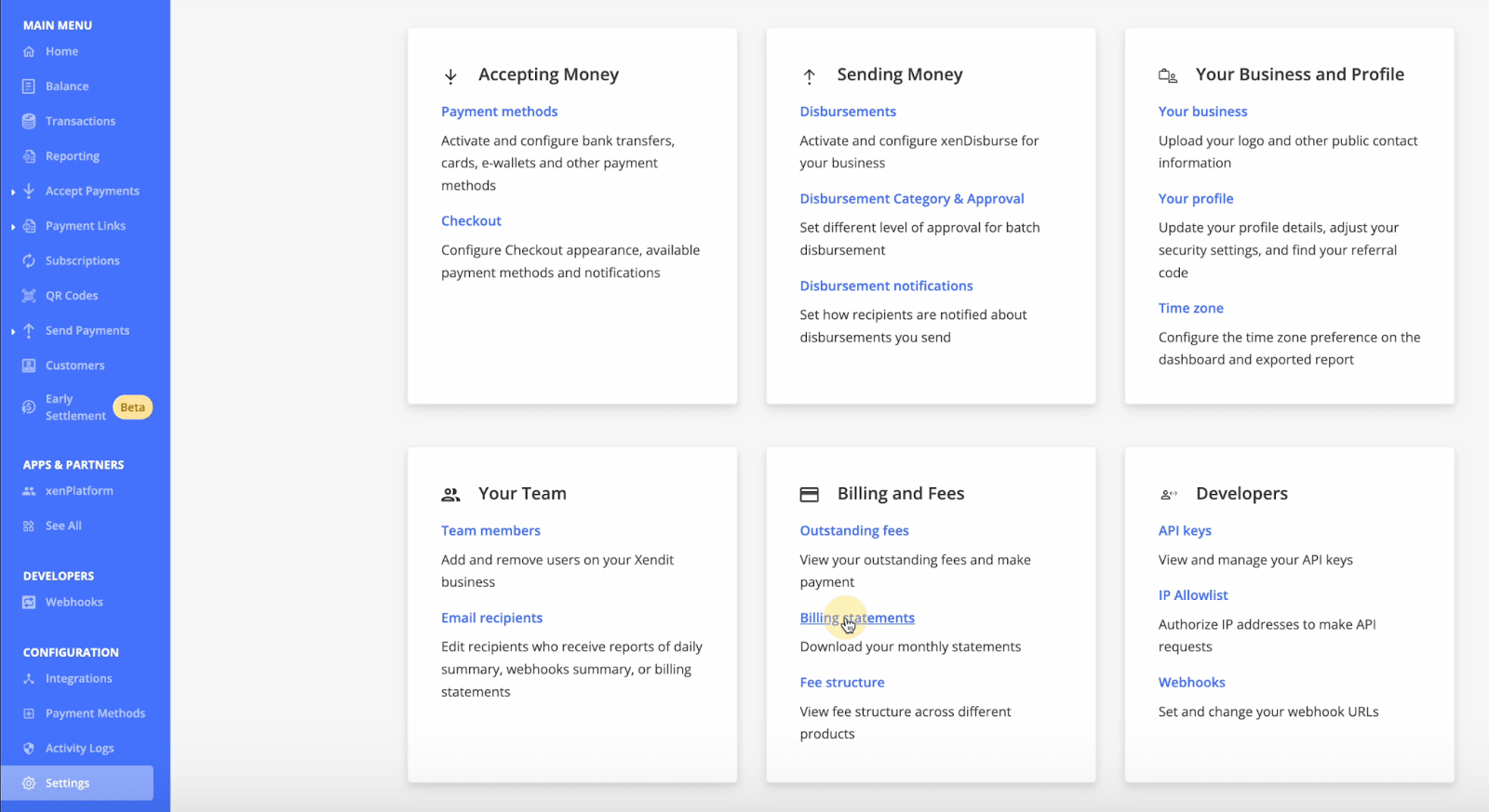
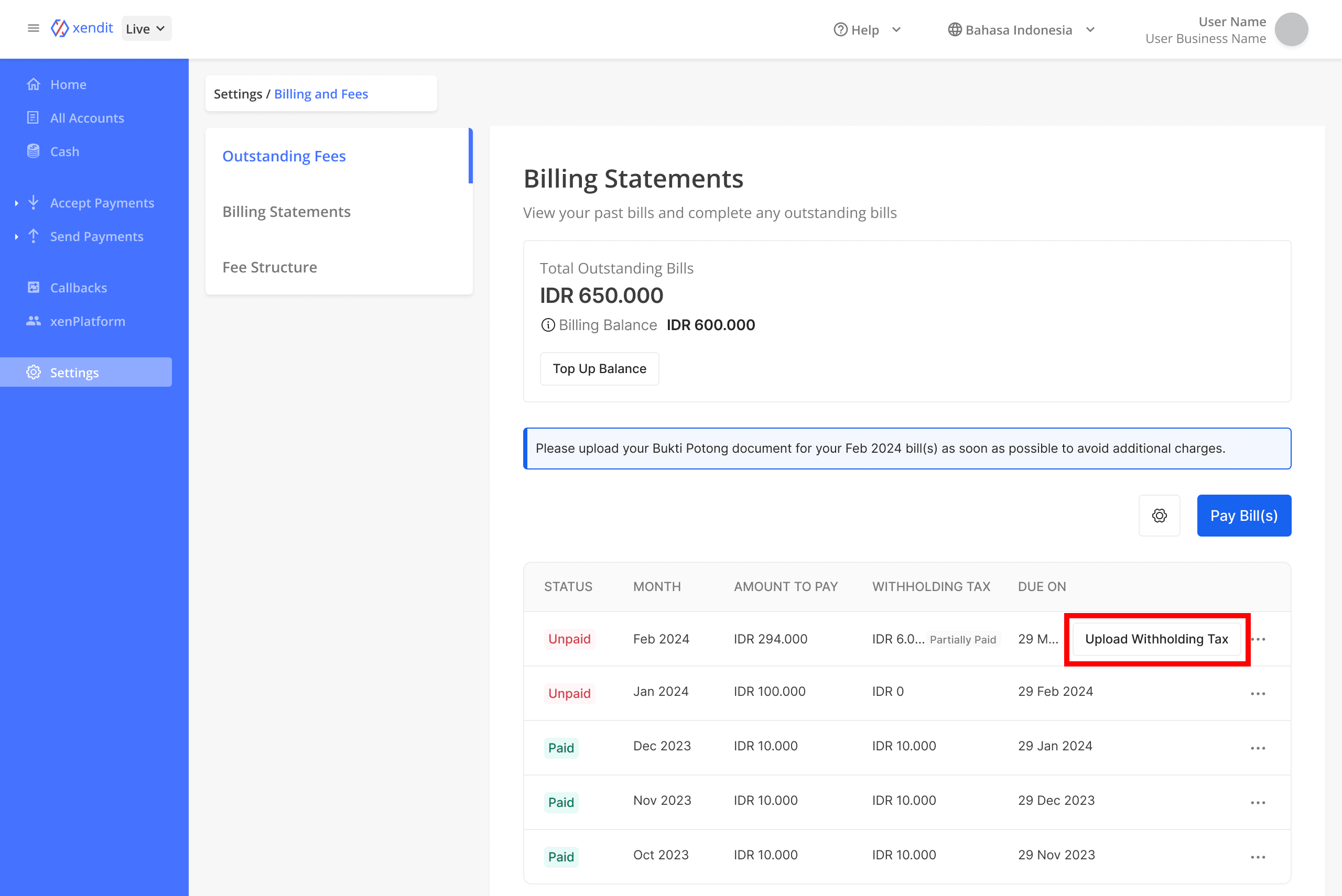
- Navigate to the Setting - Billing and fees - Billing Statement Page.
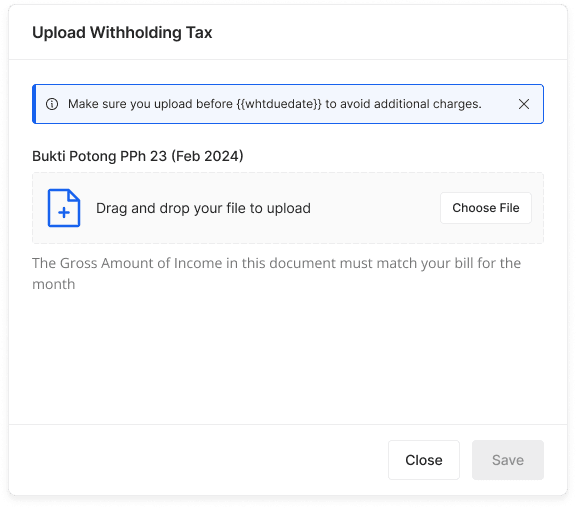
- Upload Withholding Tax Slip in the Tax Document button for the designated month
-
Kindly ensure that your Withholding Tax Slip meets the following criteria:
- It is in PDF format.
- The file size does not exceed 1 MB.
- Please upload the withholding tax slip (e-Bupot) that you downloaded from the CoretaxDJP Online
Here is a sample of an acceptable withholding tax slip (e-Bupot) that can be submitted through the dashboard.
- Regularly check the submission status, the document will be verified within 3-5 Business Days
- In case of rejection, review and correct the provided information and try to re-upload the Withholding Tax Slip.
- Upon approval, our team will process reimbursement or adjustment within a maximum of D+5 working days.
For further information, please visit the documentation provided here.